With Smart Recognition integration with Sendgrid, you can:
Automatically send contacts collected from your Smart Recognition script into your chosen Sendgrid list.
Automatically suppress existing contacts in your Sendgrid account.
May allow for set up of custom filters to sync filters; send leads from different domains to different lists or ESPs. (Functionality may vary depending upon the ESP.)
What You Need to Have
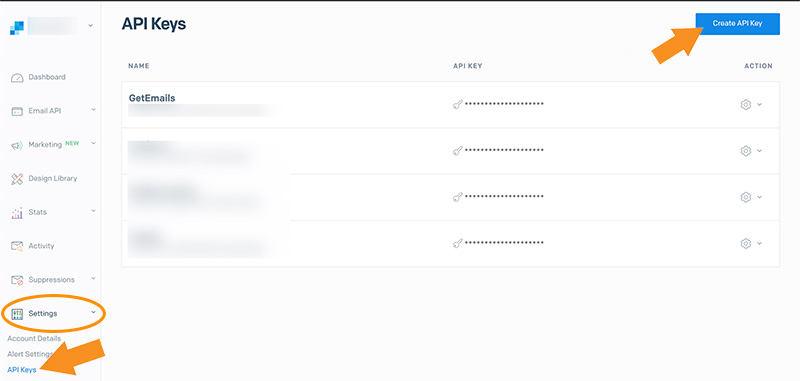
1. You will need your API Key. To find this, go to “Settings”, and click on “API Keys”. From there, click the “Create API Key” button in the upper, right corner.
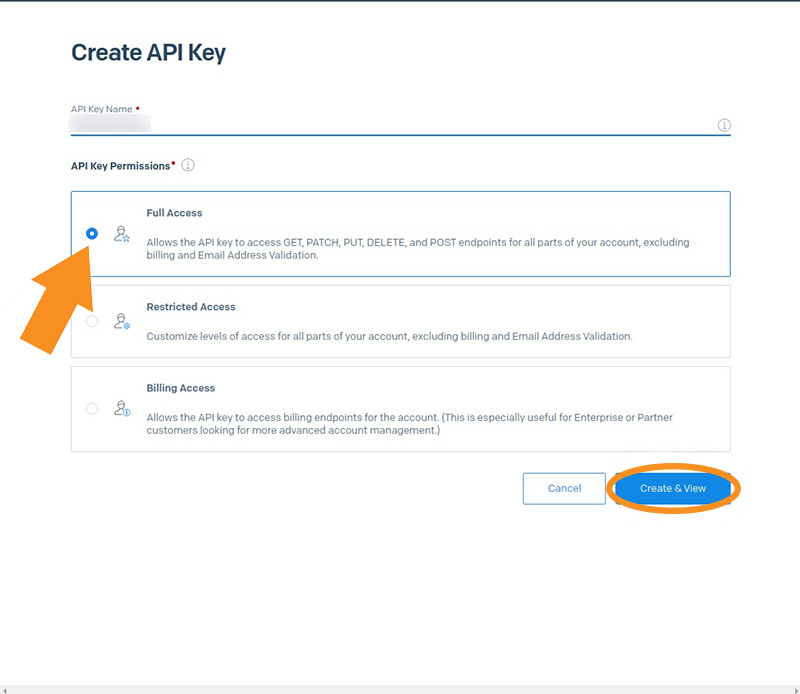
2. Name your API Key, and then select “Full Access” and “Billing Access”. Then click the “Create & View” button.
3. Click on your API Key to copy it, and then click the “Done” button.
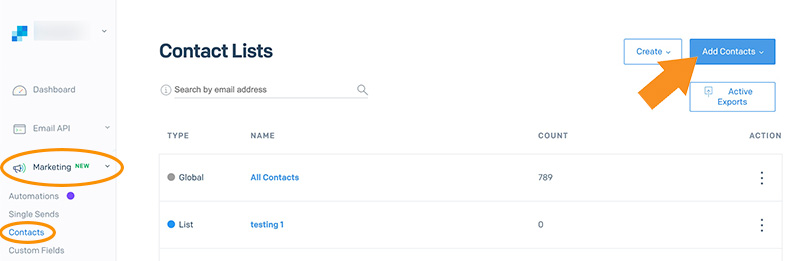
4. You should also create a “List Name” to sync your events in Sendgrid with.
What We'll Need from You
Copy your API Key and List Name, and send them to us!